Canon imagePROGRAF iPF750
Description
Market and Applications and who uses this type of large format printer
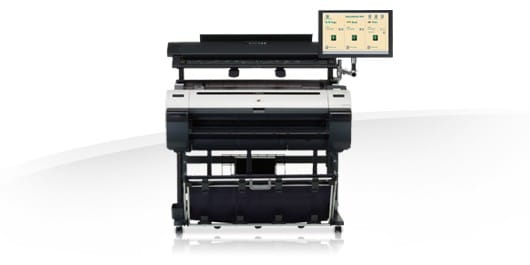
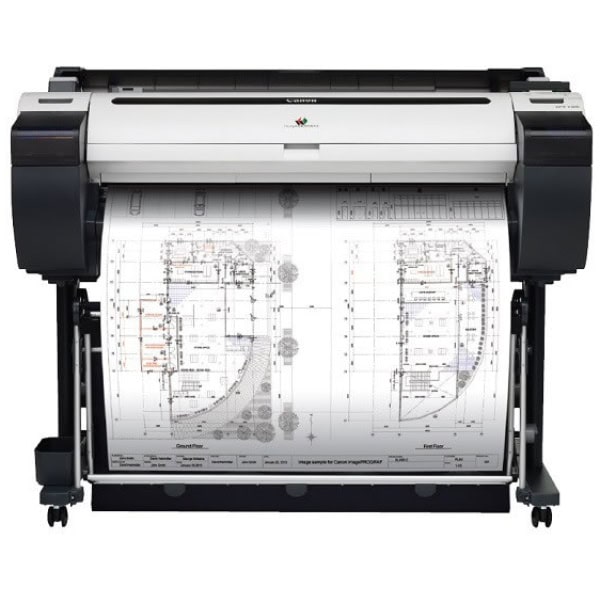
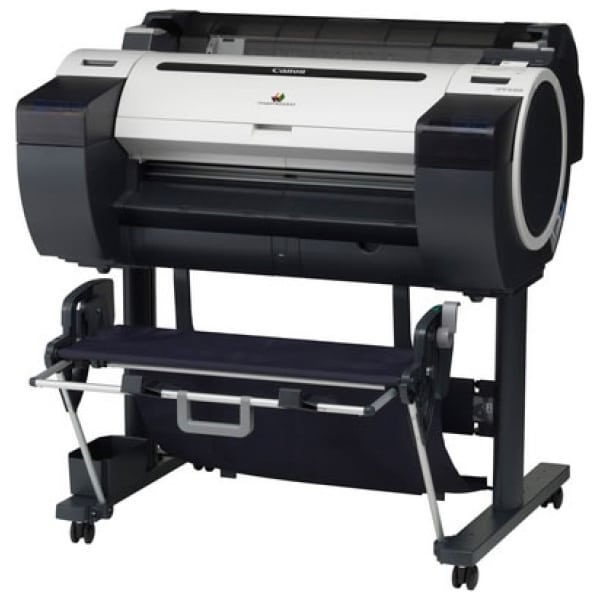
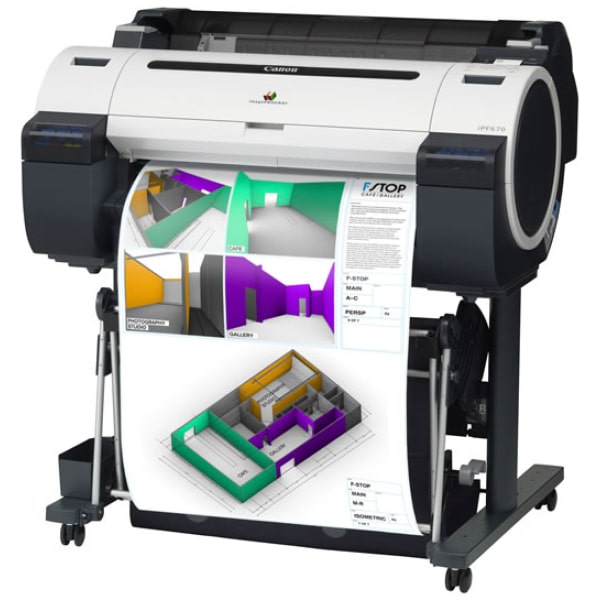
Canon’s imagePROGRAF iPF750 36”/A0, 5-colour large format printer with ‘Hot Swap’ ink tanks and a built-in accounting software is designed for the CAD, GIS, Poster and In-House Print markets. The iPF750 delivers outstanding quality with exceptional productivity and an impressive return on investment.
The imagePROGRAF iPF750 is technical perfection for the Electronic Design Automation (EDA), Geographic Information Systems (GIS), Mechanical CAD, Architecture, Engineering and Construction industries. Architects, engineers and construction firms can produce plans in exceptional detail with precise line rendering. Mechanical CAD engineers can create photorealistic visualisations of plans in applications such as AutoCAD, Mechanical Desktop or Pro/Engineer and bring them to life quickly with exceptional quality. GIS specialists can render complex “what-if” scenarios using maps, seismic analysis data or images from satellites. Even with huge file sizes generated, the imagePROGRAF iPF750 can handle your demands with accurate colour and exceptional line rendering.
Design Supply, an Accredited Canon Large Format Solutions Partner, works closely with Canon to provide the best solutions available to get the job done for your business and maximize your opportunities. With 22 years of experience in the large format printer market, Design Supply offers expertise and knowledge in tailoring the exact solution for your specific application.
KEY FEATURE
Key features of the Canon imagePROGRAF iPF750
The iPF750 36”/A0 large format printer features Canon’s unique 5-colour dye and pigment reactive ink system which producing the sharpest, thinnest lines and the new magenta ink makes the red gamut even better. Designed specifically for CAD & GIS applications, a minimum line width of 0.02mm can be achieved with a range accuracy of +/- 0.01%. This unique formulation improves ink adhesion to the media and minimises colour bleeding. This means clearer text, smoother curves, and sharp fine lines even on uncoated technical papers. Using reactive inks also improves scratch and marker resistance so prints are far more durable than those printed with conventional dye inks
The iPF750 produces 2400 x 1200 dpi and produces A0 draft prints in just 48 seconds. Canon’s L-COA image processing technology combined with Gigabit Ethernet compatibility ensure stunning high speed reproductions on everything from architectural plans to geographic information. ‘Hot Swap’ ink tanks allow ink cartridges to be replaced during printing for maximum productivity
The printer driver flexibility of the iPF750 enables seamless integration with the way you work.
The iPF750 is compatible with HP-GL/2, HP-RTL, including the ability to set palette and pen settings, for the most demanding CAD workflows. An HDI driver for AutoCAD is also included. The Print Plug-In for Microsoft Office users enables printing directly from Excel, Word and PowerPoint
Designed for practicality and usability, the iPF750 is designed to fit comfortably in any CAD/GIS environment. A compact, slim-line design with a front-loading paper system and a front access ink tank system means you can change paper and ink easily even when printer is installed in a tight space or against a wall. A large, bright, menu-driven LCD control panel gives easy access to sophisticated functions. Prints are automatically stacked and can be collected from a high capacity basket to prevent damage. There’s even a handy print timer to let you know how long a job will take to complete. Borderless printing technology keep you more productive as there is no need for offline trimming and Auto Skew Correction enables unattended printing by automatically adjusting for any skew in orientation and feeds the paper/media correctly
The iPF750 is economical and efficient, with built-in accounting software, allowing accurate tracking of the cost per print, enabling the ability to view the data through the print driver or export it to a CSV file for use in your own files or systems. An Economy mode can be selected which uses less ink, ideal when printing draft documents. Canon’s eMaintenance software automatically detects and manages mechanical problems and low ink levels, linking directly to a Canon Service Centre for maximum up time.
MORE INFORMATION
More information on Canon imagePROGRAF proprietary technologies
Canon imagePROGRAF CAD & GIS (5-colour) wide format printers use a number of advanced Canon proprietary technologies to achieve fine lines, small text and highly detailed graphics produced with incredible accuracy and sharpness.
FINE™ (Full-photolithography Inkjet Nozzle Engineering) print-head technology for 5-colour imagePROGRAF printers features a total of 15,360 nozzles into a 1” high density print head. Bi-directional printing design of the imagePROGAF printers means print times are significantly faster than conventional print systems which require multiple passes for each line to compensate for uneven droplet size and placement on the paper. An innovative ink-nozzle manufacturing method results in precisely uniform 4 picolitre droplets resulting in 2400 x 1200 dots per inch (dpi) and outstanding print performance.
Canon’s CAD and GIS (5-colour) range of imagePROGRAF printers feature a 5-colour dye/pigment reactive ink system designed specifically for the CAD/GIS market featuring new magenta ink making reds even more vibrant. This unique formulation improves ink adhesion to the media and minimises colour bleeding. When black ink intersects with coloured ink (for example, words printed on a colour background) the black and cyan inks induce a chemical reaction that prevents black from bleeding into the colours. This means clearer text, smoother curves, and sharp fine lines even on uncoated technical papers. Using reactive inks also improves scratch and marker resistance so prints are far more durable than those printed with conventional dye inks.
The CAD & GIS (5-colour) range of imagePROGRAF printers utilise two types of black ink for the best possible results on all types of media. For photo-type a black ink (BK) is used and for high contrast prints on matte paper, a matte black (MBK) is used. This process ensures smooth graduations across every media type and is highly efficient as the relevant ink is automatically selected for each media type.
Canon’s advanced L-COA (Large Format printer Common Architecture)image processor delivers faster high-quality output and print optimization. L-COA helps your printer carry out the most complex print jobs – where files can often exceed 200MB – with ease.




WHAT'S INSIDE?
Contents:
- Canon imagePROGRAF iPF750 printer with stand and high capacity collection basket
- 1 x Print head PF-04
- 1 x set (C/M/Y/BK/2 x MBK) of starter inks (90ml)
- 1 Maintenance Cartridge (installed)
- User Manual CD
- Quick Start Guide
- Reference Guide, Menu Map
- EU/UK Power cord
- One Year Warranty Registration Card
- PosterArtist Lite software CD-ROM
- User Software CD with: imagePROGRAF Printer Driver, HDI Driver, imagePROGRAF Status Monitor, Media Config Tool
- Accessory kit
- 12 months on-site warranty
Software included:
- imagePROGRAF Printer Driver, HDI Driver, imagePROGRAF Status Monitor, Media Config Tool, ROI accounting software
- HP-GL/2 and HP-RTL and an HDI drivers for Windows
- Print Plug-In for Microsoft Office
- Digital Photo Front Access (PC only) Software
- PosterArtist Lite software
Options:
- Roll Holder Set (2-inch core spindle with 3-inch media tube attachment and borderless printing spacer): RH2-33
- Canon PosterArtist 2009 software – PC only
Consumables:
- Ink Tank 130ml: PFI-102 (MBK,BK,C,Y)
- Ink Tank 130ml: PFI-104 (M)
- Print Head: PF-04
- Maintenance Cartridge: MC-10
|
Downloadable Canon imagePROGRAF iPF750 Media/Consumables Brochure
|
|||
 Media/Consumables Brochurer

Functional Always active
Preferences
Statistics
Marketing